
By the end of this guide, you'll be able to:
- Generate a PCP finance report
- Enter your agreement details correctly
- Read the valuations, equity and settlement figures
- Understand voluntary termination and the six-month projection
Before you start
💡 Have your finance agreement to hand. You'll need the amount borrowed, any deposit, the final balloon payment and the APR. They're easy to mis-remember.
Step 1: Open your car and find the finance section
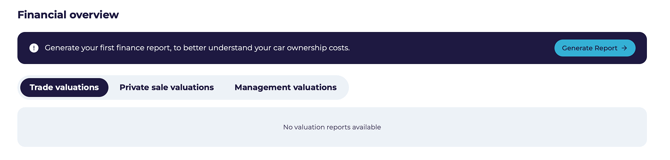
- Open the car from My Vehicles.
- Scroll to the Financial Overview section.
Step 2: Start the report
- Click Generate Report.
- Confirm Yes — the car is financed.
- Enter your monthly payment.
- Enter the car's current mileage and your estimated annual mileage.
- Click Continue.
Step 3: Your PCP details
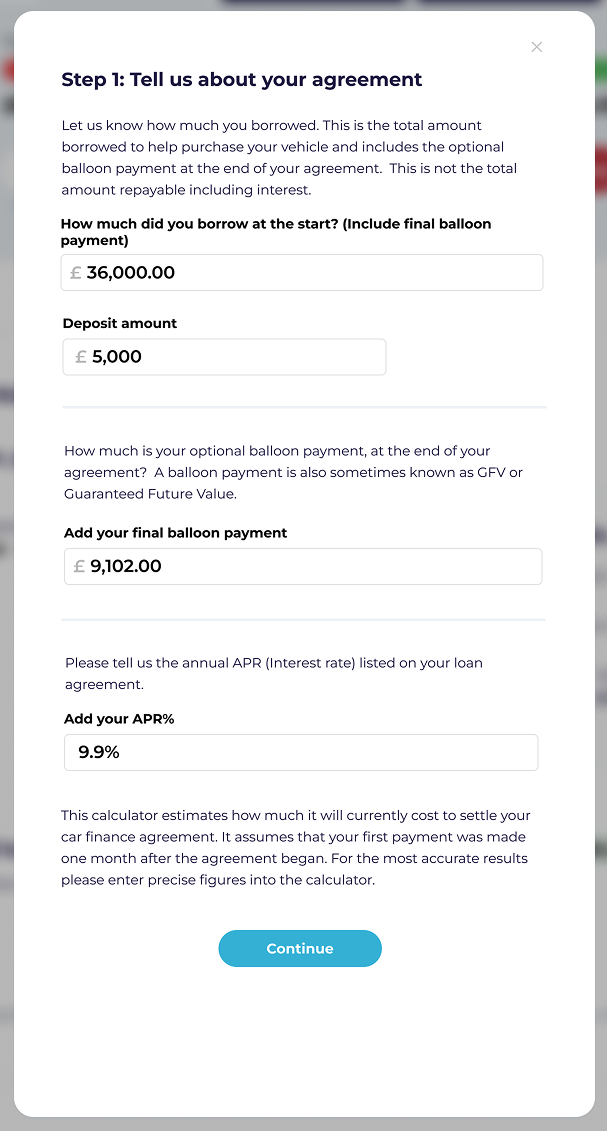
A PCP agreement usually has lower monthly payments and a large optional payment at the end. Enter:
- The total amount borrowed at the start — including the final balloon payment
- Any deposit you paid
- The final balloon payment
- The APR
⚠️ Include the balloon payment in the amount borrowed. Leaving it out is the most common mistake and throws off every figure that follows.
Step 4: What your car is worth
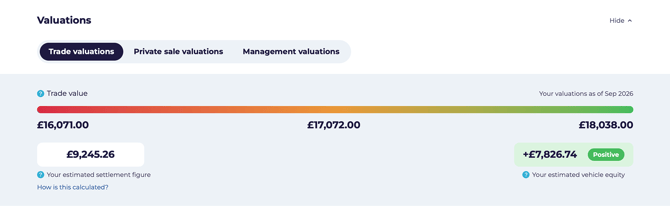
Your car is valued three ways:
Alongside these you'll see your estimated settlement figure and your equity — the difference between what the car is worth and what you owe.
Step 5: Your agreement in detail
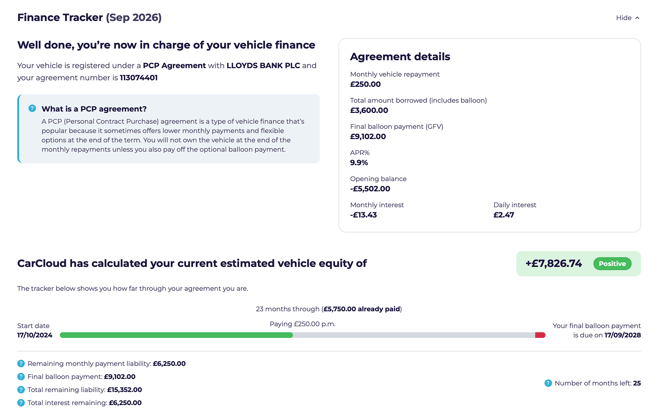
The Finance Tracker shows your monthly payment, total borrowed, balloon payment, APR, opening balance and the interest accruing monthly and daily.
Step 6: How far through you are
You'll see how much you've paid, what's left to pay, the balloon payment still due and the interest remaining.
⚠️ Missed payments aren't accounted for. If your account isn't fully up to date, treat these as a guide.
Step 7: Settling early
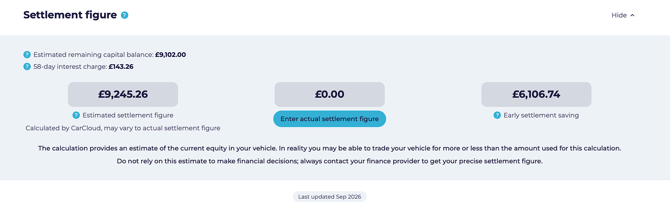
CarCloud estimates what it would cost to settle the agreement now, and what you'd save in interest by doing so. If your agreement runs longer than 12 months, a 58-day interest charge is normally included.
Step 8: Using your actual settlement figure
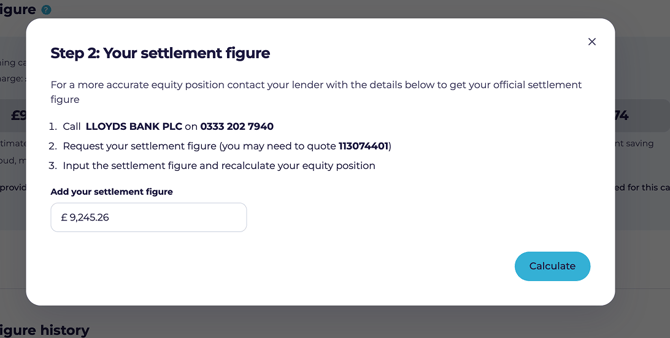
- Click Enter Actual Settlement Figure.
- Enter the figure your lender gave you.
- Click Calculate.
The estimate greys out and your real figure takes over.
⚠️ Only use a figure you've confirmed with your lender. Settlement values change every month.
Step 9: Voluntary termination
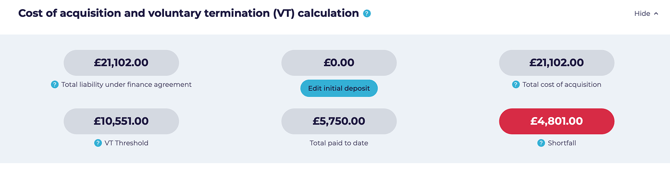
Once you've paid half the total amount payable, you may have the right to hand the car back. This section shows where you stand against that threshold and whether you'd be left with a shortfall or a surplus.
⚠️ Voluntary termination terms vary by agreement. Always check your own paperwork before acting on these figures.
Step 10: The six-month projection
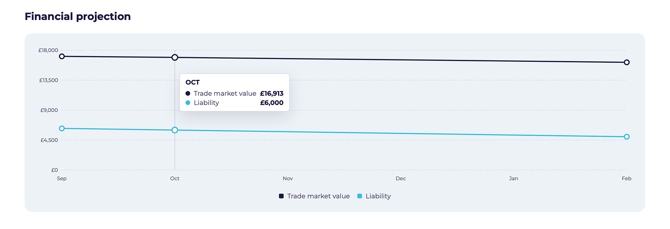
💡 This is the quickest way to see when your car is heading towards positive equity — useful for timing a change of car.
Keeping it accurate
- Re-run the report monthly so settlement and equity stay current.
- Keep your mileage up to date — it drives the valuation.
- Re-enter your actual settlement figure each time you get a fresh one.
What's next?
- If you have other cars on different agreements, see the guides for Hire Purchase, lease, loan or owned outright.