
By the end of this guide, you'll be able to:
- Generate a report for a car bought with a loan
- Enter your loan details accurately
- Read the loan tracker, valuation and equity
- Record an actual settlement figure
Before you start
💡 Have your loan paperwork to hand. You'll need the amount borrowed, the start date, the term in months and the lender's name.
Step 1: Open your car
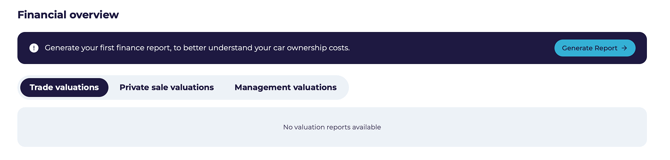 From My Vehicles, open the car and scroll to Financial Overview.
Step 2: Start the report
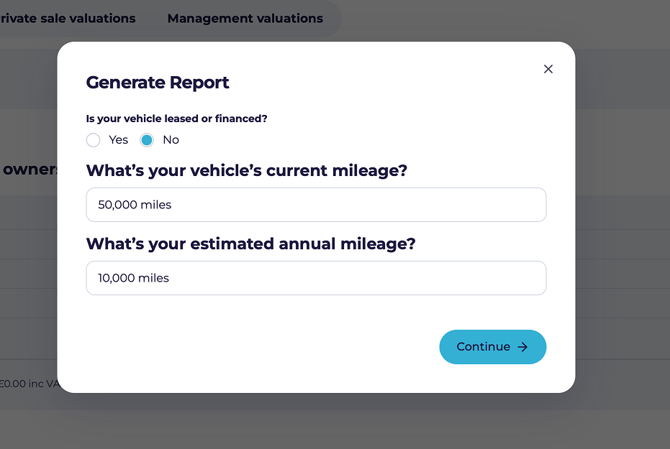
- Click Generate Report.
- Select No — the car isn't leased and has no dealer finance agreement.
- Enter the current mileage and your estimated annual mileage.
- Click Continue.
- When asked Did you buy your car with a loan?, select Yes.
Step 3: Your loan details
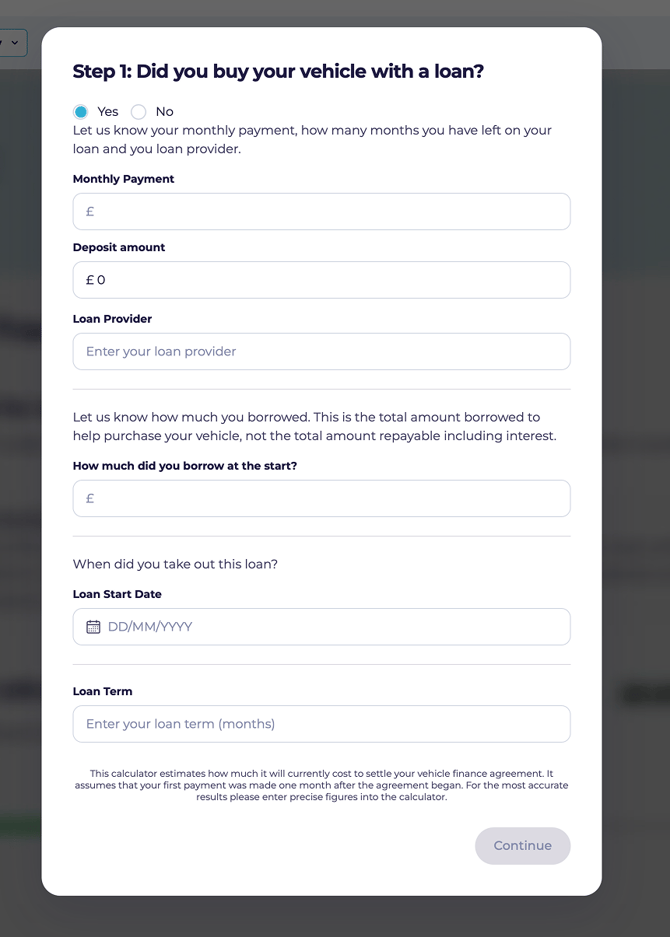
- Enter your monthly payment.
- Enter the lender's name.
- Enter how much you borrowed at the start.
- Enter the loan start date.
- Enter the loan term in months — often 24, 36 or 48.
- Click Continue.
⚠️ Check every figure before continuing. They drive both the tracker and the settlement calculation.
Step 4: Your loan tracker
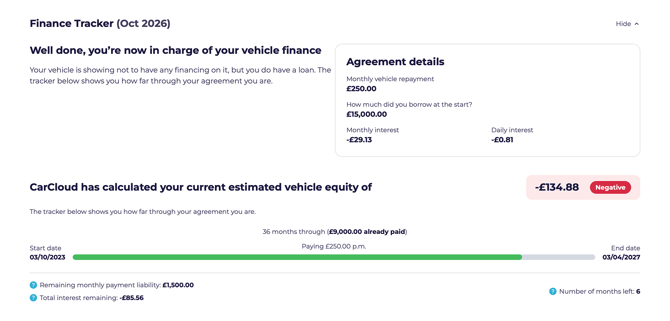
The tracker shows the agreement alongside your car's valuation and your estimated equity — what the car is worth, less what you still owe.
💡 If something looks wrong, go back and check what you entered. The tracker is only as accurate as the figures behind it.
Step 5: Repayments and interest
You'll see your monthly repayment, the amount borrowed, and the interest accruing monthly and daily.
Step 6: Settling early
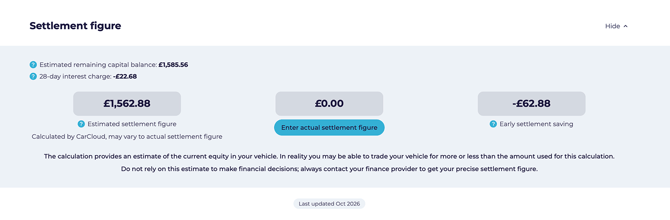
💡 Worth knowing: you can often settle a loan early by paying the outstanding balance plus a limited amount of interest — typically 58 days' worth — rather than all the interest you'd otherwise pay. This usually becomes possible once you've repaid at least half the loan.
CarCloud shows an estimated settlement figure and the saving it would represent.
Step 7: Using your actual settlement figure
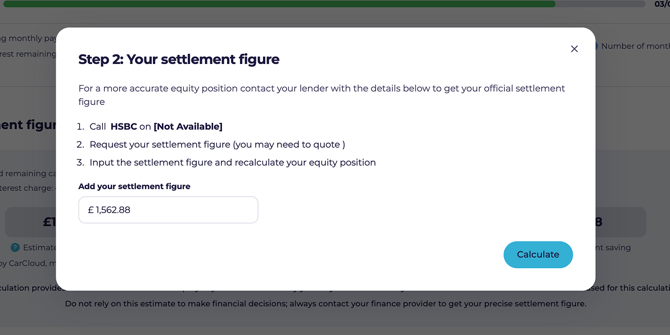
- Click Enter Actual Settlement Figure.
- Enter the figure your lender gave you.
- Click Calculate.
⚠️ Confirm the figure with your lender first — it changes monthly.
Keeping it accurate
- Use the exact figures from your loan agreement.
- Re-run the report monthly.
- Build up your settlement history — it's useful when comparing options later.
What's next?
- See the guides for PCP, Hire Purchase, lease or owned outright if you have other cars.