
By the end of this guide, you'll be able to:
- Generate a report for a leased car
- Check the agreement details are right
- See how long is left
- Set a reminder before the lease ends
Step 1: Open your vehicle
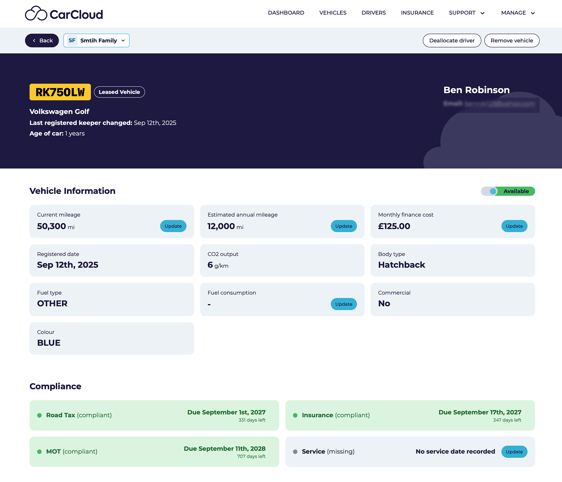
From My Vehicles, open the car and scroll to Financial Overview.
Step 2: Start the report
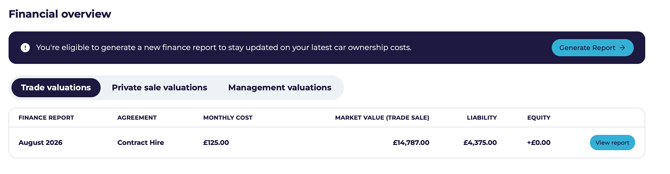
- Click Generate Report.
- Confirm Yes — the car is financed.
- Enter your monthly payment.
- Enter the current mileage and your estimated annual mileage.
- Click Continue.
💡 Estimated annual mileage matters more on a lease than anywhere else — going over your agreed mileage usually means excess charges at the end.
Step 3: Check the details
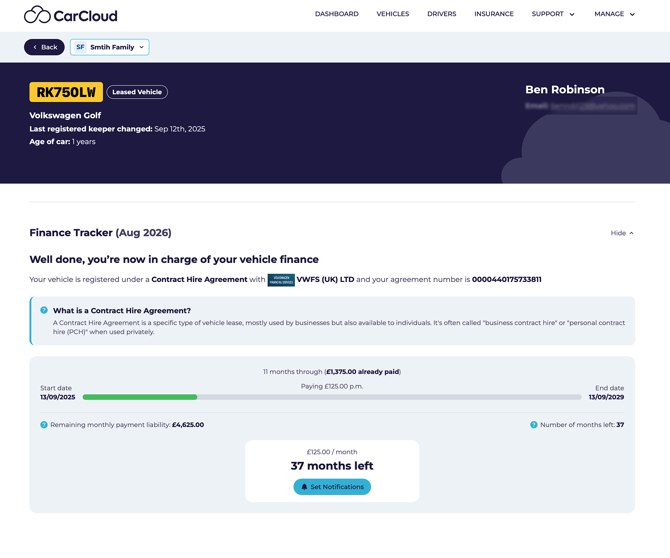 Check these against your paperwork:
- Lease company name
- Agreement number
- Months completed
- Total paid so far
- Monthly payment
⚠️ If anything looks wrong, check it before relying on the report.
Step 4: How long is left
The report shows how much time remains on your agreement. Use it to start thinking about what's next.
💡 Sourcing a replacement car can take weeks, particularly if you're ordering rather than buying from stock. Treat the remaining term as your prompt to start looking, not a deadline to react to.
Step 5: Set a renewal reminder
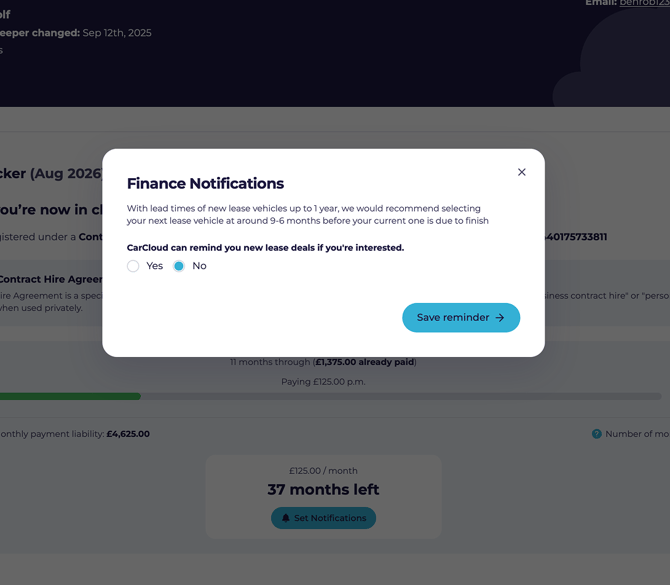
- Click Set Notifications.
- Choose when you'd like to be reminded.
- Click Save Reminder.
The reminder appears in the upcoming actions on your Digital Garage when the time comes.
💡 Set it as soon as you've reviewed the lease — it's the easiest way to make sure the end date doesn't creep up on you.
Keeping it accurate
- Keep your mileage up to date so you can see whether you're on track against your allowance.
- Re-run the report if your payment or agreement changes.
What's next?
- Head back to Your vehicle page for the full picture.