
By the end of this guide, you'll be able to:
- Open your invitation
- Create your password
- Log in for the first time
Your first login
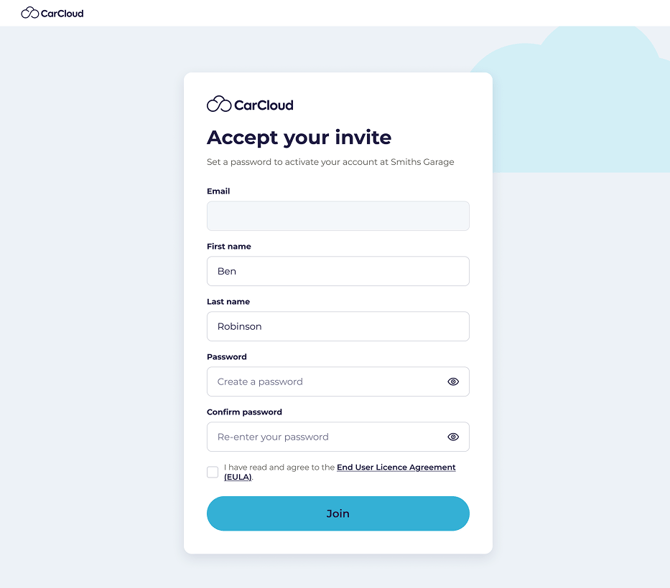
Open the invitation email from CarCloud and click the button to accept.
- Enter your first name and last name.
- Create a password and confirm it.
- Click to finish setting up.
- Log in with your email address and new password.
You'll land on your own personal dashboard, showing the car assigned to you.
What you'll see
Your dashboard is yours — it shows the car you drive, what's due on it, and anywhere you log journeys. You won't see the household's billing or be able to add or remove cars; that stays with whoever set the account up.
If nothing is showing
If no car appears, it just means one hasn't been assigned to you yet. Ask whoever manages the account to assign it — it takes them a few seconds.
What's next?
- Take a tour of Your personal dashboard to see what's there.
- Start Logging your mileage if you need to record journeys.